

On a Saturday, a barbershop needs to juggle bookings and walk-ins. A salon needs to block enough time for each service and see how many sessions a client has left in a package. FunnelOps white-label CRM has two built-in modules for those workflows. Your agency can use its own logo, colors and domain, and configure the right module for each business.
What both modules have in common
Set up services, prices, durations and staff. Each team member can have their own availability. The public booking link helps customers choose times; staff manage bookings in their calendar. The customer profile keeps a visit history so the front desk can pick up a conversation with context.
At checkout, the ticket lists services and the total. Based on the setup, finance can record the payment in the cash ledger and calculate staff commission under the applicable rule. Dashboards and reports help compare bookings, utilization and sales. Agree on commission and payment rules with the business before rollout.
Barbershop: appointments, walk-ins, checkout and memberships
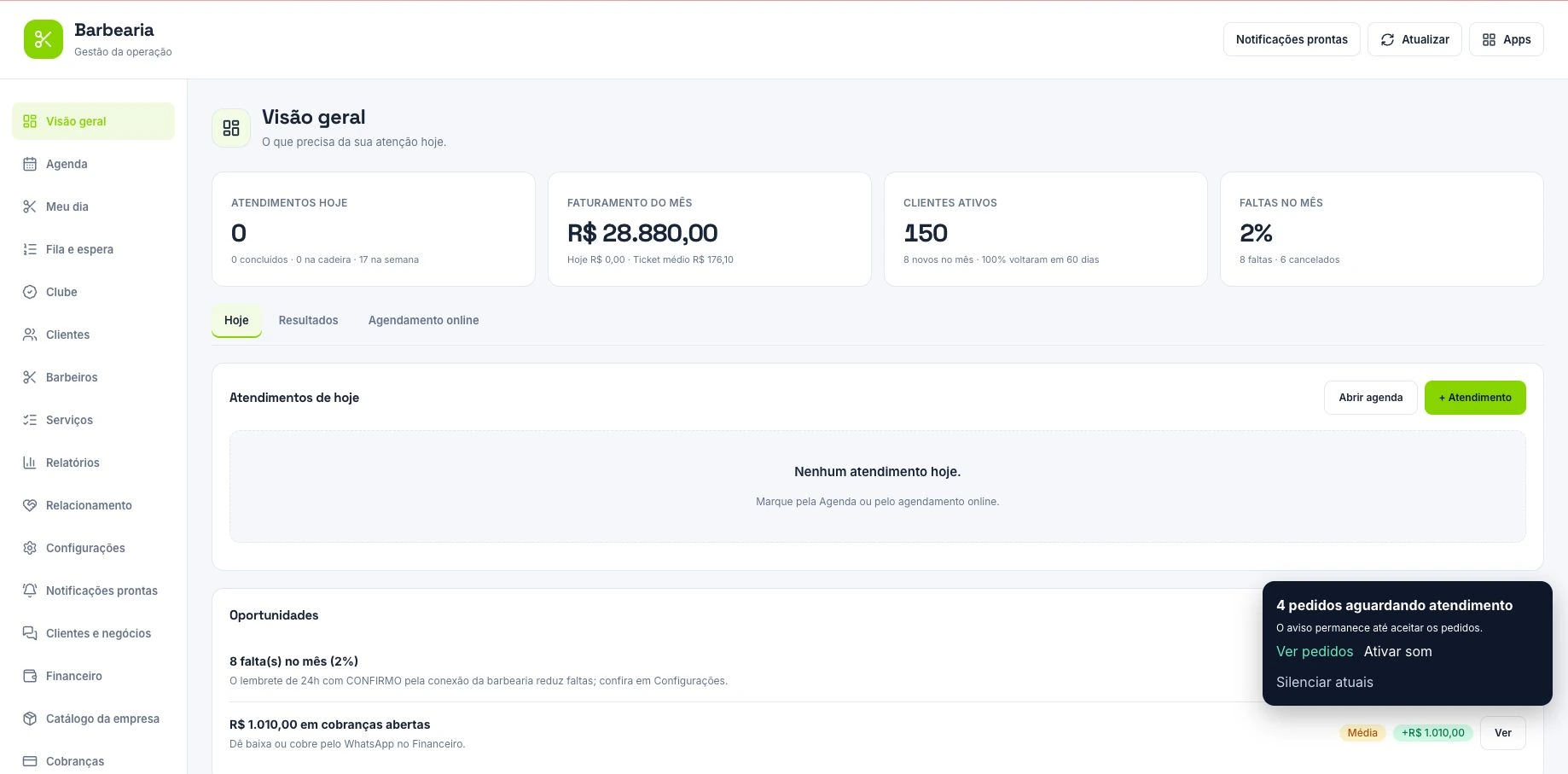
In the Barber module, barbers can track their own appointments in My Day. The front desk uses the queue for walk-ins and the waitlist to fill openings. Set up haircuts, beard trims and bundles as separate services with their own durations and prices.
At checkout, the shop can track payment, receipts and commissions by service. The membership club lets staff define plans, track signups, record usage and manage renewals. Before launching a club, agree on which cuts are included and how redemptions will be recorded at each visit.
Beauty salon: client records, waitlist and packages
In the Beauty module, set up staff and services such as blowouts, coloring and manicures with their own times and prices. The waitlist helps fill cancellations. The profile shows visit history and records according to staff permissions. Coloring may take longer than a blowout; set durations before sharing the link so the calendar doesn’t offer slots that are too short.
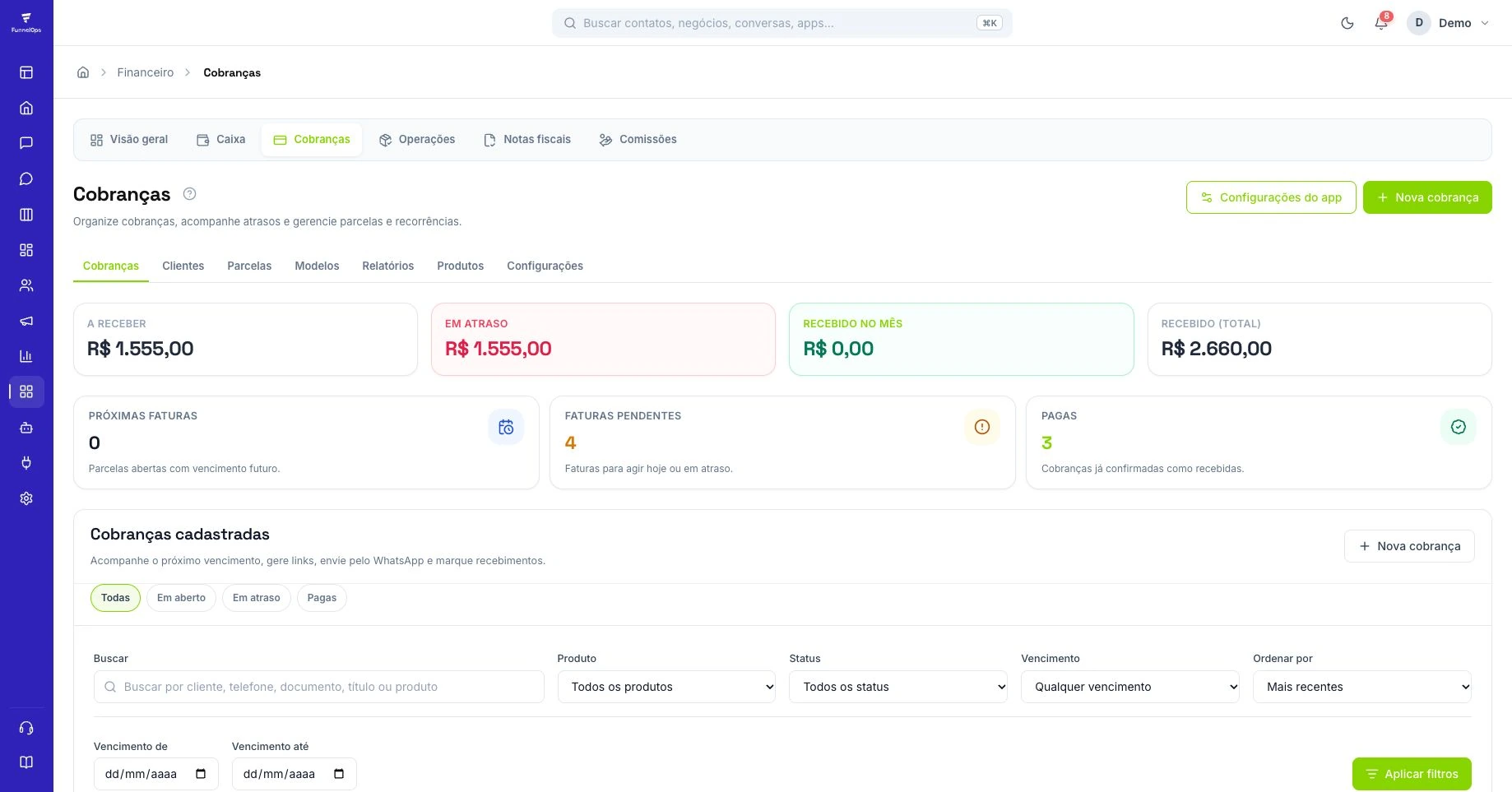
A salon can sell a four-blowout package, for example, record one session per visit and see the balance. The module also has a public package page and billing tools, with payment links when a compatible provider is connected. Relationship tools help staff identify customers due back, birthdays and packages nearing expiry.
WhatsApp, reminders and repeat visits
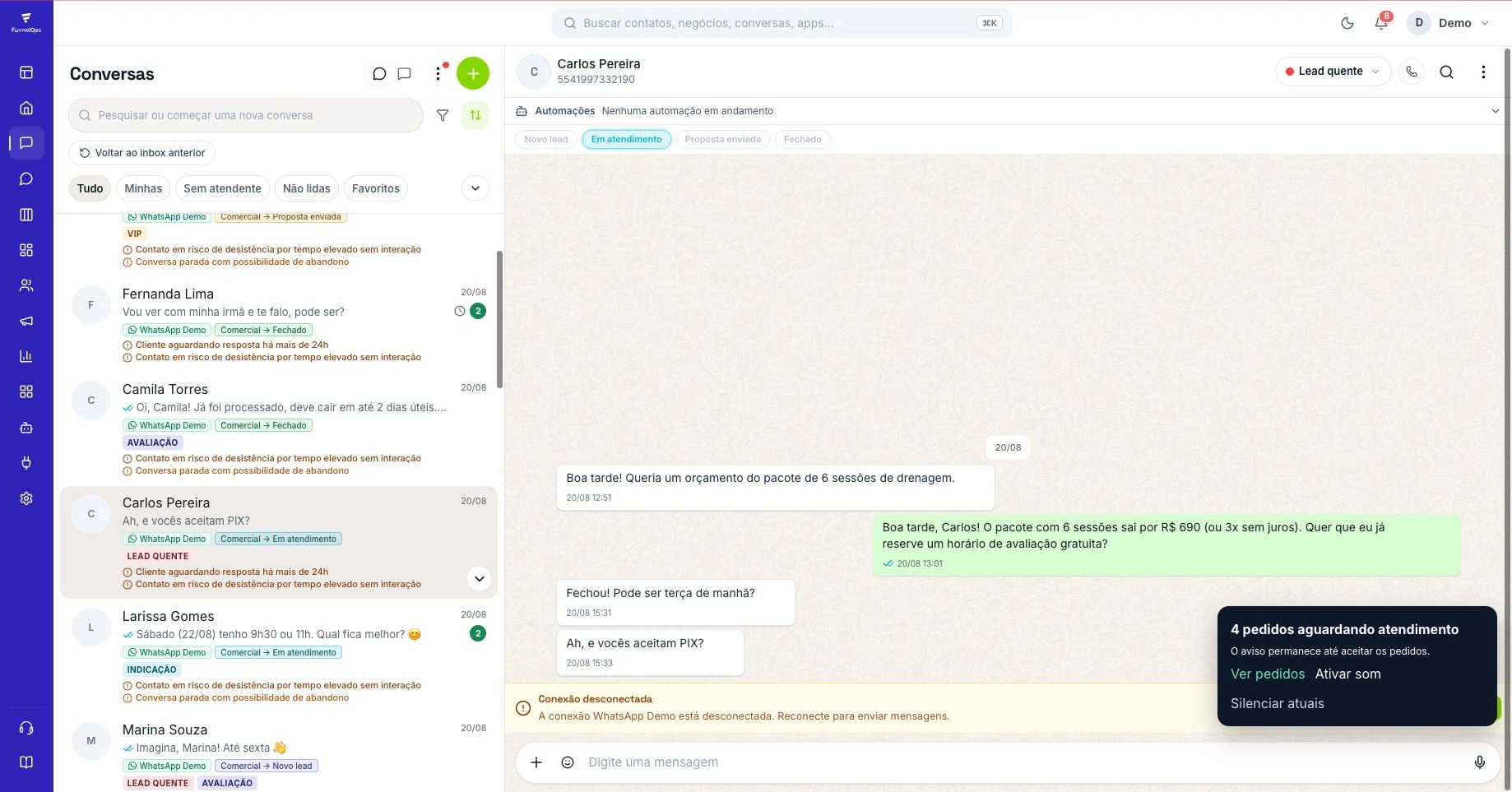
With WhatsApp connected and rules set up, teams can use the calendar and CRM for confirmations, reminders and follow-ups. A barbershop can identify customers who regularly come back for a cut; a salon can see who still has sessions to use. An AI assistant can answer service and availability questions and hand off to the front desk, subject to configured actions and permissions.
How to offer the CRM under your own brand
In the barbershop demo, simulate a booking and a walk-in, close a ticket and show the commission record. For a salon, sell a sample package, redeem the first session and show the balance in the client profile. Use that demo to define what setup covers: the calendar, staff accounts, WhatsApp connection, training and support.
In the first month, track utilization by team member, no-shows and repeat visits. For salons, count remaining package sessions; for barbershops, see how many members used the club. Confirm module, channel, payment and AI availability before putting together your proposal.
Build the calendar around each service’s duration
In a fictional barbershop, a haircut takes thirty minutes, a beard trim twenty, and the combined service fifty. Create all three services and test how they occupy the practitioner’s availability. Configuration should include lunch, days off, and time reserved for other work. Review any booking that would finish after closing before promoting online reservations. Ask the owner to choose two real slots in the week and check whether the system offers the appointments they would accept manually.
At a salon, repeat the exercise with services of different lengths and confirm the appropriate professional. If a combination requires more time, explain how staff should arrange that reservation within the agreed process. Promote availability only after the operational decision has been defined. In the FunnelOps demonstration, use a fictional customer, complete the request, and check where reception follows the appointment. The expected outcome is knowing who is coming, for which service, and with which professional before work begins.
Coordinate bookings and walk-in customers
On Saturday, a booked customer arrives while two walk-ins are waiting. Agree with the owner on how to handle this and use the queue to give reception visibility. Estimated waiting time should account for services underway and upcoming bookings. Staff can explain the estimate and offer an alternative if the wait grows. The CRM records the operation, while priority decisions follow the establishment’s agreed rules.
Include a late professional and a customer requesting an additional service in training. Before agreeing, check the effect on the next appointment and who can authorize changes. Record the service actually delivered on the customer’s bill and explain the corresponding price. This reduces the gap between the planned calendar and completed work. A white-label partner’s delivery should include rehearsing these exceptions with reception. They quickly reveal whether the configured process can support a busy day.
Test the difference between package usage and club membership
Consider a fictional four-blow-dry package in the Beauty module. Record the purchase and check payment status. Then complete a test appointment and record one use. The balance should reflect that visit under the configured workflow. Ask reception to find the package in the customer record and explain the sessions remaining. Purchase, payment, and usage need separate checks because a customer may buy today and spread appointments over several weeks.
The Barber Club requires agreement on membership, period, and usage rights. Decide which services are included, how appointments are recorded, and who checks renewals. Demonstrate a fictional membership and one use, then find the member’s status. If parallel tracking remains necessary, identify the missing information and adjust configuration or procedure. The partner’s proposal should describe the feature using the same rule demonstrated. This helps the establishment explain the benefit to customers and train new reception staff.
Compare occupancy, missed visits, and return business before expanding
Choose a period and check each professional’s available time and completed services. In an illustrative example, ten available calendar hours and seven hours served represent seventy percent occupancy by duration. Determine whether unused time came from missed visits, cancellations, or a lack of new bookings. Each needs a different action. An organized waiting list may help with cancellations, while low demand requires reviewing promotion and the offer.
Also check customer bills, recorded payments, and commissions against the agreed rules. If a total differs, compare the service, professional, and corresponding entry before changing general settings. For customer follow-up, choose a group with an expected return and review its history. At a salon, this might mean remaining package sessions. At a barbershop, it might mean a club member’s next visit. Use that information to guide contact and define when to assess results. Each metric should lead to a concrete operational decision.
Frequently asked questions
Do I need two separate systems?
Barber and Beauty are modules in the same white-label CRM. The partner offers the platform under its own brand and configures the right module for each business, subject to availability.
What’s the difference between a membership and a package?
The Barber club tracks membership plans, usage and renewal. Beauty packages track a session balance that goes down as clients use services. Demo the workflow that matches how the business charges today.
Bring this CRM to your customers
Talk to FunnelOps to explore the module and confirm availability for your reseller business.
Offer it under my brand →