

Prepare the offer before creating the document
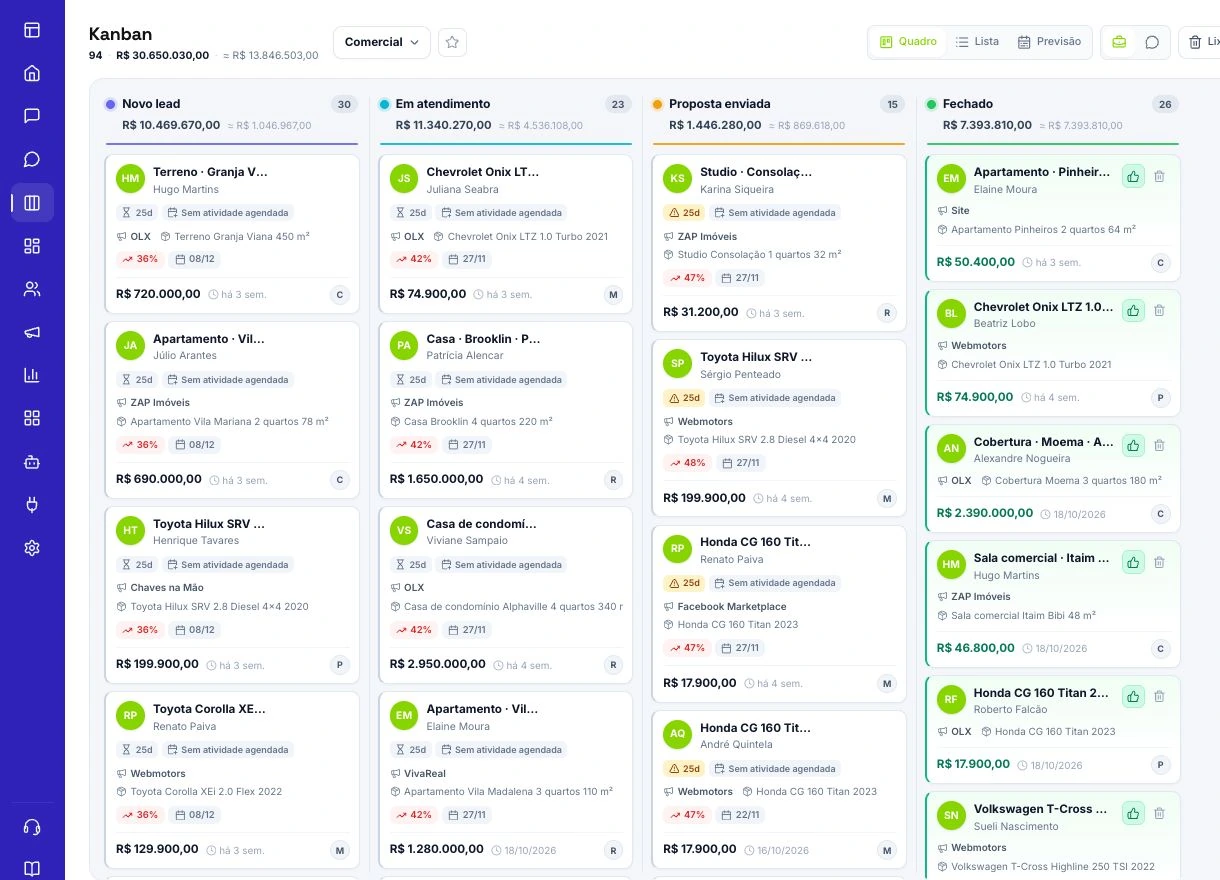
Gather the problem to solve, scope, prices, deadlines, and agreed conditions. Confirm who makes the decision and who should receive the proposal. This preparation prevents contradictory versions and lets the customer evaluate the offer clearly. In the Kanban, keep the opportunity in the stage that reflects its actual position in the negotiation. An organized card helps the seller understand what remains before moving forward without relying on memory.
Create a proposal in FunnelOps
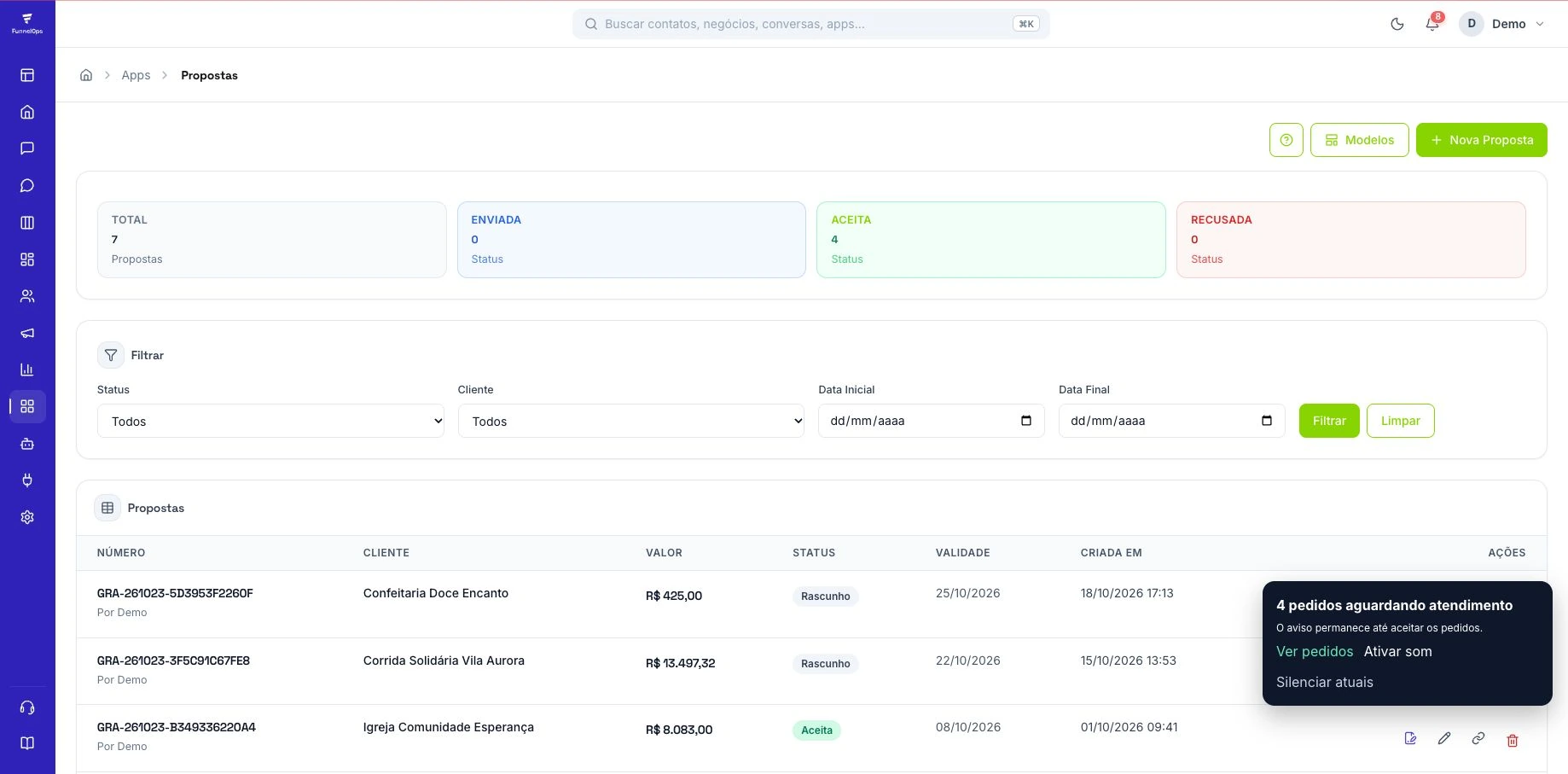
Open Apps, go to Proposals, and choose New Proposal. Use a template suited to the service or prepare the content with AI assistance. Review customer details, line items, and conditions before sharing. Assisted generation speeds up the first draft, while a commercial review ensures the offer matches the agreement. Save the approved version so the link you send presents clear, consistent information for the customer to evaluate.
Share the link and agree on the next step
A proposal has a public presentation link and options to accept or decline. Send it through the agreed channel and explain what the customer should review. Record the follow-up date in the conversation and assign someone to track the decision. If questions arise, update the proposal carefully and confirm which version is under consideration. Contextual follow-up helps resolve specific objections and avoids repeatedly asking only whether the customer has looked at it.
Prepare the contract in Documents
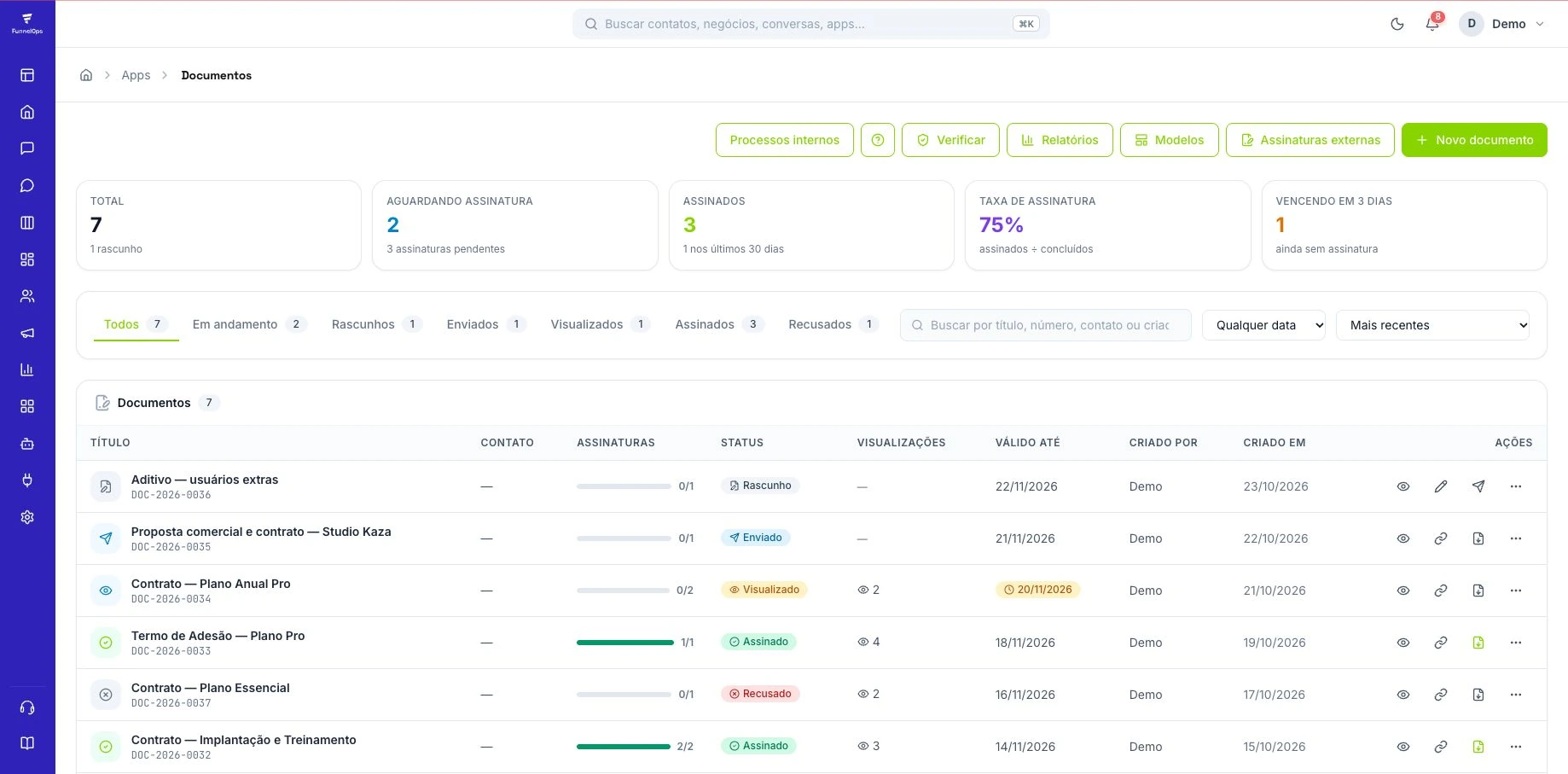
When the negotiation requires a contract, open Documents and use New or Templates. Complete the variables, review the parties, and add the signatories. Proposal acceptance and contract signature are different records that should follow your company process. Check that scope, price, and conditions match the approved offer. For documents with specific requirements, use a template reviewed by the professional responsible for that subject in your operation.
Track signatories and records
The documents module provides individual signatory links, event records, and public verification. Check progress before following up on a signature and keep recipient details current. If a customer reports a problem, review the link and the corresponding signatory information. Organize records so the team can consult the document and understand its current stage. This makes the handover from sales to the people responsible for delivering the service easier to manage.
Connect closing to delivery
Define what qualifies a deal as won and update the Kanban once those criteria are met. If payment or another approval is part of the process, check that requirement before starting delivery. Then give the responsible team a summary of scope, commitments, and the main contact. This sequence reduces misunderstandings and helps identify where negotiations stall: proposal sent, decision pending, document awaiting signature, or clearance to begin the work.
Make the proposal answer the decisions blocking the sale
Imagine a fictional company implementing a project for R$ 2,400. The customer wants to know what they receive, who must provide information, and when delivery starts. Before opening New proposal, gather those answers and turn scope into checkable deliverables. Describe the work, responsibilities, and conditions for starting. If installments were agreed, record the commercial terms and separately check the billing process. Written terms should match the company’s actual financial procedure.
In Proposals, use a service-appropriate template and check the selected contact. AI can assist with a draft, while prices, items, and commitments require an authorized person’s review. Read the document as the buyer. Can they identify the total, their responsibilities, and the next step? Resolve open conditions before sharing the link. This reduces separate messages explaining information essential to the decision.
Control commercial revisions before preparing the contract
When a buyer requests a scope change, record it in the conversation and review its effect on price, timing, and responsibilities. Update the relevant proposal and explain which version should be considered. Keep the Kanban deal at the stage reflecting that situation, with an owner and follow-up date. A requested adjustment still requires a decision. The history should explain why a deal remains under review after its first proposal was sent.
If the customer accepts commercially and a contract is required, prepare it in Documents using the approved details and terms. Review the template and populated fields before sending. Proposal acceptance and document signing are different milestones that may occur on different dates. Agree with management which determines when the deal is marked won. This prevents inconsistent sales figures and helps finance and delivery understand exactly what the customer approved.
Check who must sign and track the document’s status
In a business contract, the person speaking with sales may differ from the signatory. Confirm the required participants under the company’s procedure and the document’s required fields. In FunnelOps, review signatories and contact details before sending. Use a fictional example in training to show how a recipient opens the link and completes the available steps. Test implementation settings with demonstration documents.
After sending, track the status and outstanding steps. If someone says the document did not arrive, check the address, channel, and delivery records before creating another version. A new copy may confuse someone who received the previous one. When terms change, follow the company’s correction procedure and explain which document must be reviewed. Once complete, check the final file and available records. The delivery owner needs access to the version supporting the contracted work.
Identify whether the bottleneck is proposal, signature, or delivery
Choose a period and count proposals sent, decisions received, and completed contracts. In an illustrative example, twenty proposals are sent, twelve accepted, and seven contracts fully signed by the review date. The next task is understanding the five accepted cases still awaiting completion. A signatory, revised condition, or clear follow-up owner may be missing. Record the concrete reason in each deal to choose the right fix.
Compare the time between proposal delivery, acceptance, and the start of work. Keep the observation window consistent so recent documents are interpreted fairly. If one stage accumulates waiting time, adjust ownership or guidance before increasing volume. FunnelOps conversation history, Kanban cards, and associated documents help reconstruct the journey. Finish the sale by handing context to the delivery team, including approved scope, dates, and pending items. This turns commercial acceptance into an organized start to service.