

Define the first result that matters
Choose a frequent, straightforward process to start. A small sales team might prioritize receiving an inquiry, understanding the need, and moving the opportunity in the Kanban. Record who participates, where the process begins, and what counts as completion. This focus makes training easier and helps people see value sooner. Once the workflow is reliable, expand into prospecting, proposals, contracts, and other routines that make sense for the business.
Follow the FunnelOps first steps
Open First steps and follow the welcome, structure, team, AI agent, connection, and completion stages. Set up departments and Kanban stages around your chosen process. Invite the people involved in the initial rollout and define their responsibilities. Progress is saved so you can resume preparation. Company configuration supports everyday usage, while partners managing their own operation also have a separate onboarding flow within the partner management environment.
Prepare service before increasing volume
Connect the chosen channel and check how conversations arrive in the Inbox. Confirm who takes new contacts and where transfers go. If using AI, prepare knowledge, questions, and operating limits in AI Agents. Use the conversation test to validate responses and inspect the actions that would be taken. Then run a controlled check of the real workflow with the team, reviewing records and responsibility at each stage of the process.
Train using everyday situations
Demonstrate a complete task, from the incoming inquiry to the agreed next step. Then ask each person to repeat the process and explain where they would find the history and opportunity. Use common team questions to create short instructions. A list of three concrete tasks is often more useful initially than introducing every module at once. Record recurring difficulties so you can adjust configuration, responsibilities, or training material based on actual experience.
Track adoption through observable activity
After the first few days, check whether conversations are being handled, cards reflect negotiations, and follow-ups happen. Ask which tasks are clearer and where duplicate work remains. Signing in is one usage signal, while completing the chosen process provides more concrete evidence of adoption. Combine activity records with feedback from the people using the system to decide the next rollout adjustment and identify what needs further explanation or configuration.
Expand usage around demonstrated value
Once the team understands the first workflow, choose the next high-impact need. CNPJ prospecting can support opportunity generation, proposals and documents can organize closing, and Workflows can standardize follow-ups. Review the goal with the operational owner and maintain a routine for helping people use the platform. This helps identify difficulties before they lead to abandonment and creates conditions for a longer relationship with the platform, adapted to each business and its priorities.
Turn implementation into a verifiable working agreement
A fictional distributor has five salespeople, receives requests through WhatsApp, and keeps opportunities in a spreadsheet. Its first implementation goal could be ensuring that every new request has an owner and a recorded next action. Agree on that outcome with the manager before configuring the account. Define the initial channel, the person responsible for data, and the pilot team. Record the starting position, such as unanswered conversations or proposals without follow-up dates, so the same process can be compared later.
In FunnelOps, use First steps to organize setup and proceed until the chosen journey can be completed. Create three fictional contacts with different needs. One asks about pricing, another needs a proposal, and the third needs a human handover. The manager should be able to find each owner and next action. This turns a broad implementation promise into an observable deliverable and reveals exactly which settings need correction before the whole team joins.
Configure stages and permissions around real decisions
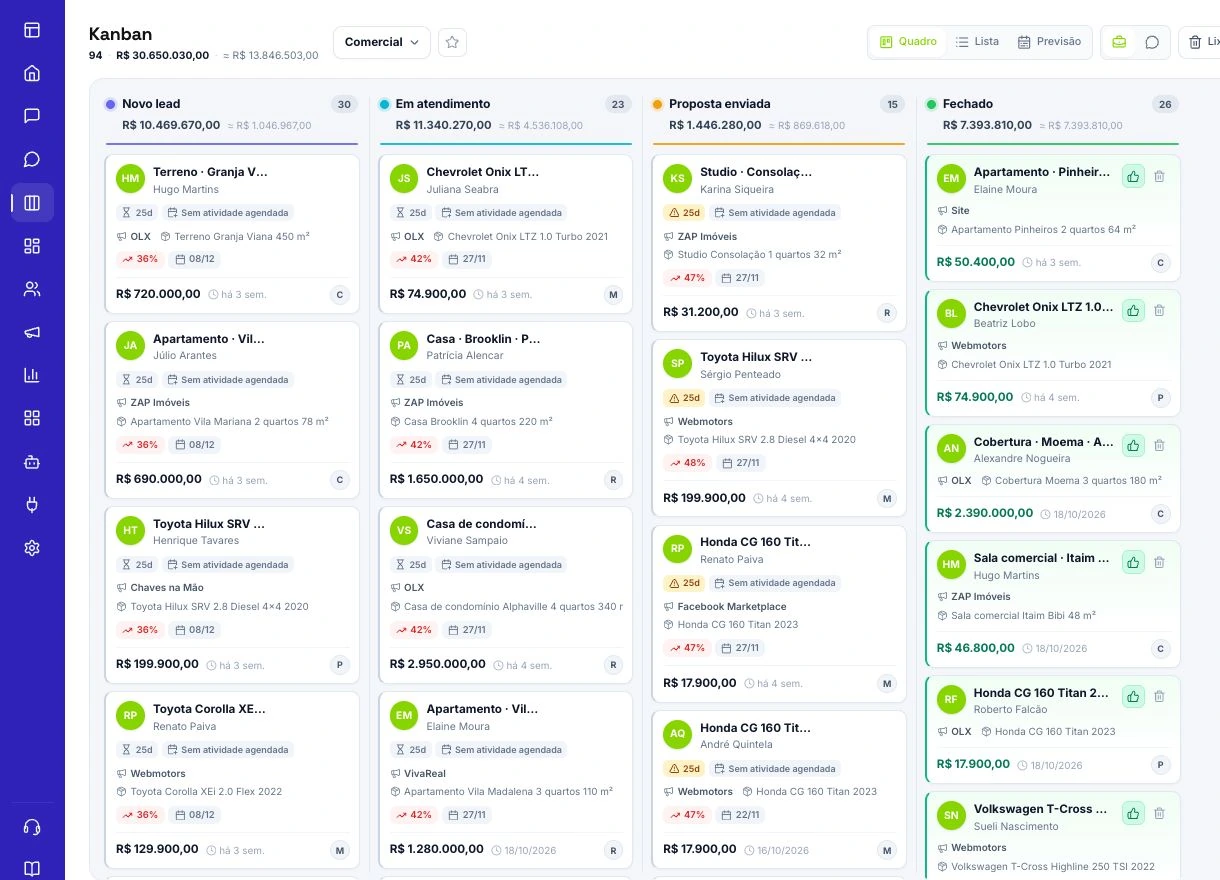
A stage name should describe what has happened to an opportunity. A pilot might need only Request received, Need confirmed, and Proposal sent, provided everyone understands the entry and exit criteria. Someone merely asking for a price may remain in the first stage. A person who explains their need and agrees to review an offer can move forward. Document what each stage means and practice moving the same three test contacts.
Then check the experience of each role. Salespeople should find their contacts and record follow-ups. Coordinators need visibility appropriate to their permissions. If a card is missing, check company, department, owner, and permissions before recreating the deal. For WhatsApp, test an incoming conversation and its transfer to the expected department. When AI participates, define the handover point and the information that should accompany it. Training should follow the real working configuration, with clear owners for resolving exceptions.
Teach users to complete a task independently
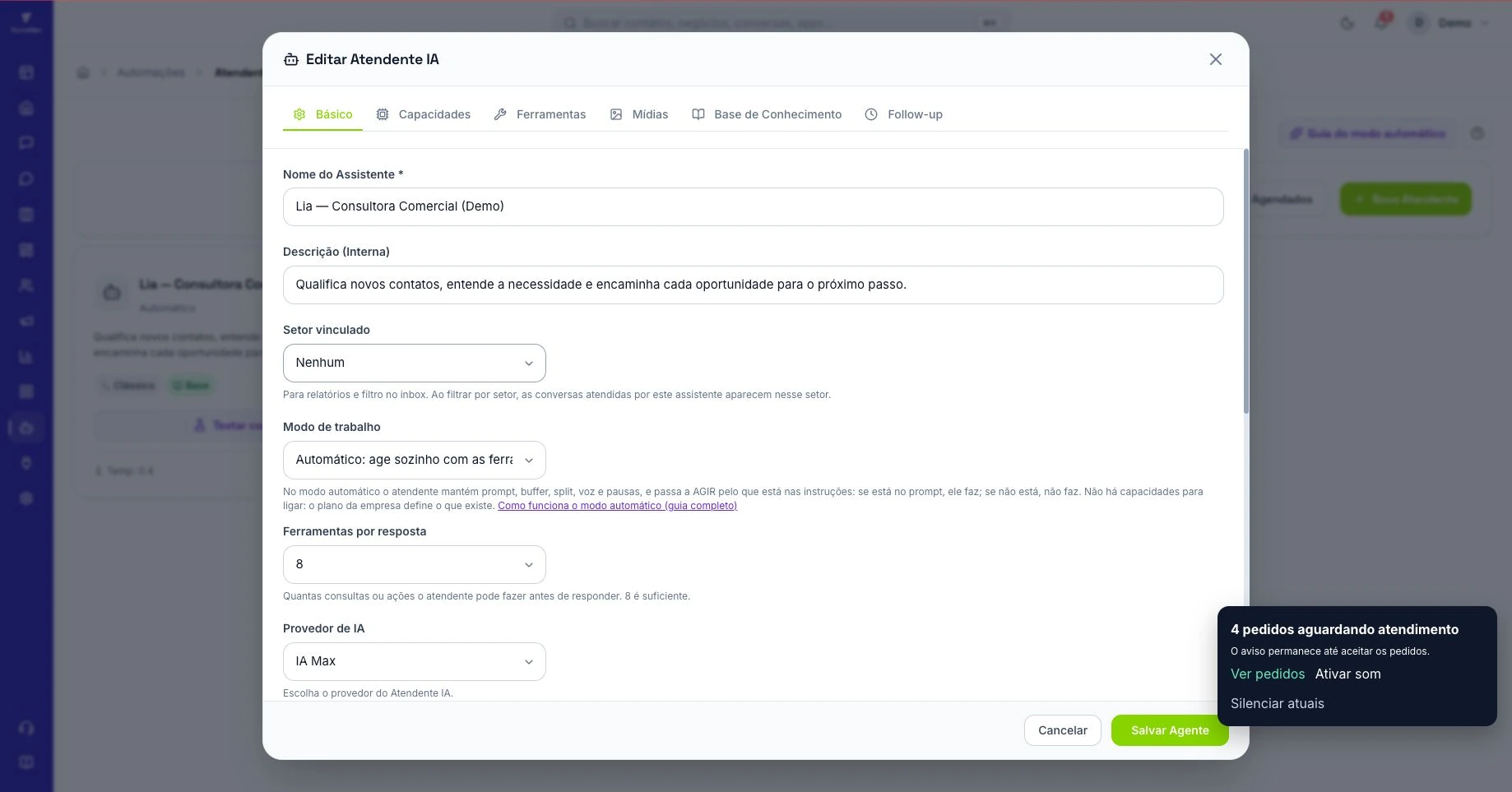
In the first training session, ask a salesperson to receive a contact, review the history, record the need, and agree on a follow-up. The instructor watches for hesitation and records the specific difficulty. A missing field, unclear ownership rule, or better explanation may be needed. Then the salesperson repeats the task with another example without following the instructor’s clicks. The expected outcome is completing the work and explaining where the manager can find its record.
Prepare a short guide for each role. Reception may need transfers and history. Sales needs opportunities, proposals, and next contacts. Management needs pending work and pipeline decisions. When several users repeat a question, investigate configuration and process before scheduling another full presentation. If a department has two interpretations of one stage, additional screen training will leave the inconsistency unresolved. Record the agreement in the implementation material and assign someone to update it when the sales process changes.
Use the first week to correct the flow and plan expansion
Follow a defined sample of pilot opportunities. In an illustrative example, forty requests arrive and thirty-two end the day with an owner and next action recorded. Coverage is eighty percent. Examine the other eight individually. They may have arrived through another channel, been transferred without ownership, or fallen outside the agreement. Use the same counting rule the following week and connect changes to the fixes made. This is more useful for implementation than simply counting platform logins.
Add another process once someone owns it and a correct outcome has been defined. If proposals still lack follow-up, organizing that routine may be more useful than launching a larger campaign. In the customer review, show working examples, pending issues, and the next priority. For white-label resale, also record support scope and who approves process changes. Retention gains a concrete foundation when customers can see a working routine and know how to obtain help to keep progressing.