

Choose an appropriate moment to request a review
A review request works best after a concrete experience, such as completing a service or confirming delivery. Define that milestone in your sales process and identify the after-sales owner. Invite eligible customers consistently, rather than selecting only those who appear satisfied. Reviews should reflect genuine experiences. Keep the message short, explain how feedback helps, and let the customer decide whether they want to participate in the review process.
Connect reviews in FunnelOps
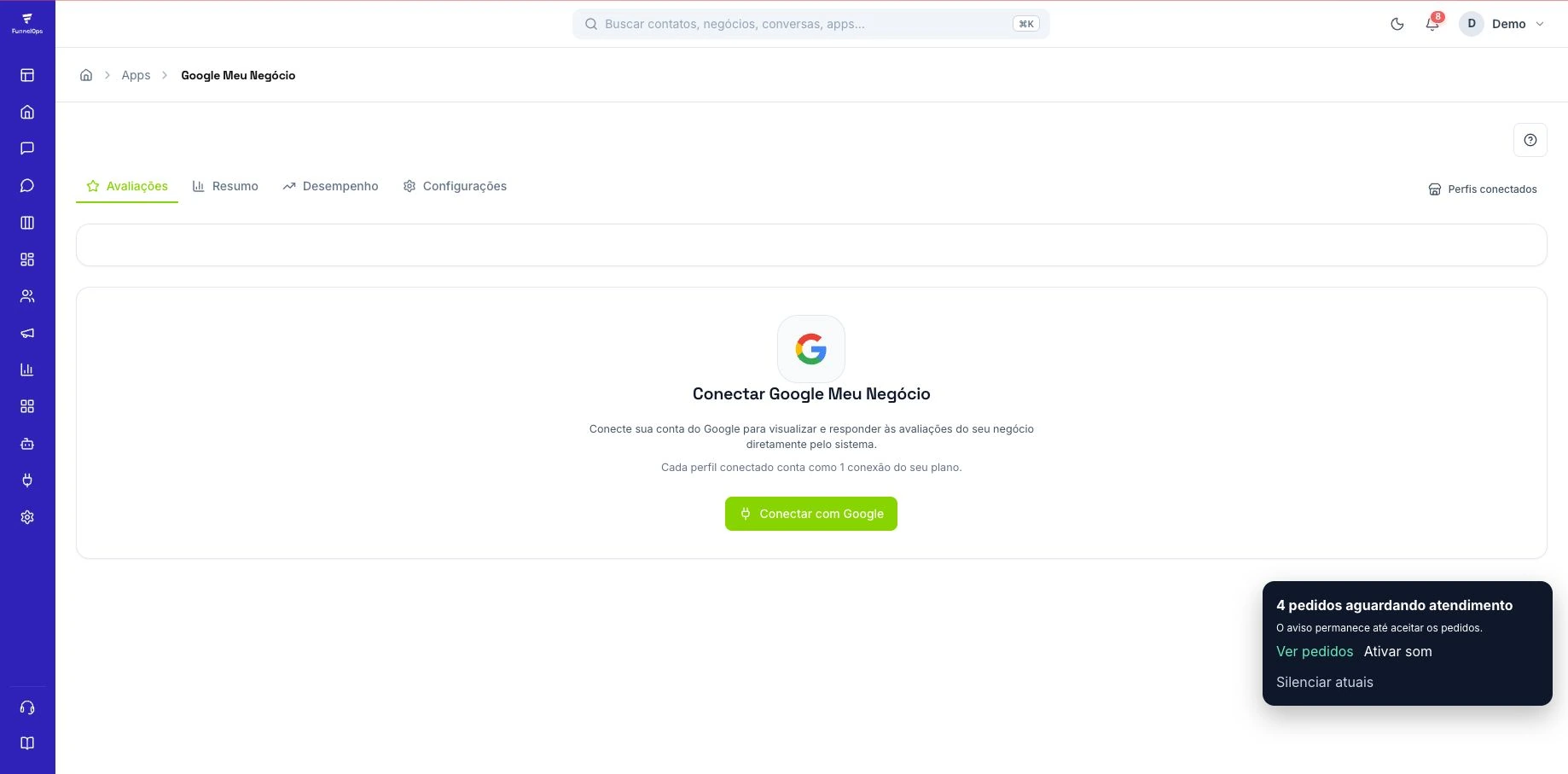
Open Reviews and choose Connect Google My Business. Authorize the account responsible for the profile and select the locations you want to monitor. Then review incoming feedback using the location, star rating, and response status filters. This helps businesses with multiple addresses understand where each experience occurred. Check that the connected account can access the correct locations before assigning responsibility for replying on behalf of the business.
Organize the after-sales invitation
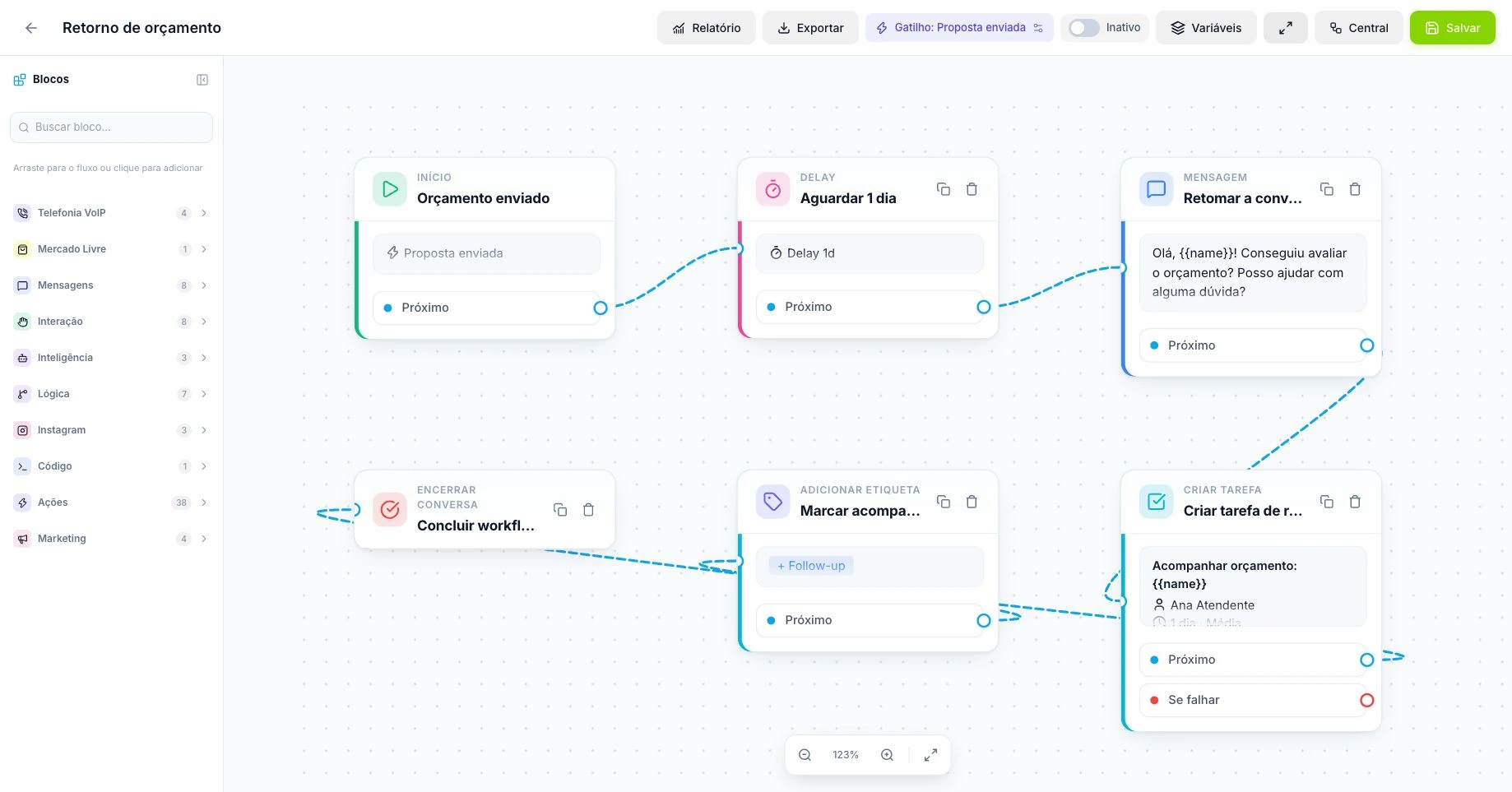
Copy the location review link from Google Business Profile. In FunnelOps, organize the invitation through your conversation process or an after-sales workflow with a defined milestone and audience. A tag added to a contact can start the workflow when that matches your operation. Review the message and WhatsApp sending requirements. Outside the official API service window, check whether an approved template is needed before configuring the invitation for customers.
Respond with context and address problems
When replying, acknowledge the point raised and use language consistent with your brand. For complaints, explain how to continue through an appropriate support channel and avoid exposing personal information. Review settings let you organize notifications and automatic responses by location, with written guidance for AI. Review that guidance before enabling automation and monitor the results. Sensitive comments deserve individual attention and a handoff to someone who can resolve the underlying issue.
Use NPS for a separate relationship question
Public Google ratings and NPS serve different purposes. Google displays star ratings for other people, while NPS asks how likely a customer is to recommend the business on a scale from zero to ten. FunnelOps also includes an NPS module for creating surveys and reviewing results. Use that feedback to understand the experience and organize improvements while keeping public review invitations consistent for customers participating in your after-sales process.
Turn feedback into operational improvements
During regular reviews, look for recurring themes by location, response delays, and issues that keep returning. Connect comments to the responsible process, such as delivery times, proposal clarity, or service quality. Choose a concrete improvement, assign an owner, and check subsequent results. The aim is to create better experiences that can generate spontaneous reviews and recommendations. Reputation develops alongside the business ability to listen and address the problems customers describe.
Base the invitation on a completed customer experience
Imagine a fictional repair shop with two locations. The customer has collected their vehicle and staff have confirmed completion of the service. That provides an objective point to consider a review invitation. Decide who makes contact, which location served the customer, and where the invitation is recorded. Someone who received only a quotation has not had the same experience. Distinguishing these moments makes the request relevant and helps another employee take over after-sales work.
Apply the criterion consistently to eligible customers. Google’s policies require authentic experiences and prohibit benefits in exchange for reviews or selectively inviting only satisfied people to post publicly. In FunnelOps, organize the segment and action history with tags and conversations. Before activating a larger sequence, test an invitation using demonstration data and check the link’s destination. The aim is to let customers describe the service they received and freely choose the rating they consider appropriate.
Verify location, connected account, and response ownership
After connecting Google Business Profile in Reviews, check that every listed location matches the intended address. If the company has several profiles, review the feed with someone familiar with that location’s feedback. The public link sent to customers must also lead to the correct profile. When comments appear under another location, review selection and links before investigating synchronization. This check prevents a well-run campaign from benefiting the wrong establishment.
Assign response ownership and review responsibility for sensitive cases. Initial implementation can begin with manager-supervised reading and replies. When the business enables automated AI replies, prepare guidance on tone, complaints, and information suitable for public mention. Test a specific compliment, a complaint identifying a customer, and a comment without details. Check that the response addresses the content and provides a useful next step. Some explanations and commitments require checking the service history before publication.
Resolve complaints through a traceable internal process
Consider an illustrative review about a service delivered late. Before replying, check the conversation and what was agreed. The public response can acknowledge dissatisfaction and explain where to continue the discussion while protecting personal and commercial details. In the CRM, staff record the request, link the available history, and assign an owner. Internal follow-up should produce a verifiable resolution, such as providing a revised schedule or clarifying a documented condition.
When a problem recurs, group causes into understandable categories. Delay, missing updates, and quotation discrepancies require different investigations. An internal tag can bring cases together for review. If NPS is used, treat it as an additional survey of the customer relationship. Analyze responses to choose improvements and keep Google invitations consistent for everyone eligible. Survey scores should guide service recovery while preserving each customer’s freedom to share a public opinion.
Read metrics without mistaking coincidence for conversion
Choose a reporting period and track invitations sent, new reviews, comments answered, and pending replies. In a fictional example, staff send eighty invitations and the profile receives twelve new reviews during the month. These numbers show movement, but individual attribution requires evidence linking each review to its invitation. Spontaneous reviews may arrive in the same period. Explain that distinction to the manager so they understand what the measurement supports and avoid unsupported campaign conclusions.
Also track response times and complaint topics. Compare locations with similar service volumes and conditions. A better average rating alongside recurring complaints about delays still requires operational action. In the review meeting, select one recurring cause, assign an owner, and examine it again next period. Confirming deadlines before a sale may help more than sending additional review requests. This connects the Reviews module to customer service and decisions that improve the actual experience.