

Decide what belongs in the estimate
Separate marketing, utility, authentication and service messages. Marketing covers promotional communication, utility covers operational purposes, authentication covers verification and service covers non-template replies within a customer service window. Category and recipient country influence the rate. Work with expected delivered messages for the month and record the account's billing currency. This lets you compare scenarios using consistent assumptions rather than combining unrelated volumes, currencies or kinds of business communication in the same calculation.
Apply the monthly service allowance
The rule effective from October 2026 provides 1,000 free service messages per business phone number each month, with applicable rates charged above that allowance. Estimate each phone number separately when planning a multi-number operation. Keep the allowance tied to its message category. Review delivered volumes and recorded categories in your usage information when comparing a forecast with an invoice. A consistent breakdown makes it easier to identify which assumption caused a difference between the two.
Account for eligible free entry windows
A contact from an eligible click-to-WhatsApp ad can open a free entry window when the business replies within 24 hours. Current documentation says it may last up to seven days. Consider the conditions applying to the account and contact. In your estimate, put those deliveries in the separate free-window field and leave them out of the category volumes. This keeps the same message from being counted twice when preparing a forecast for the business.
Use the FunnelOps calculator
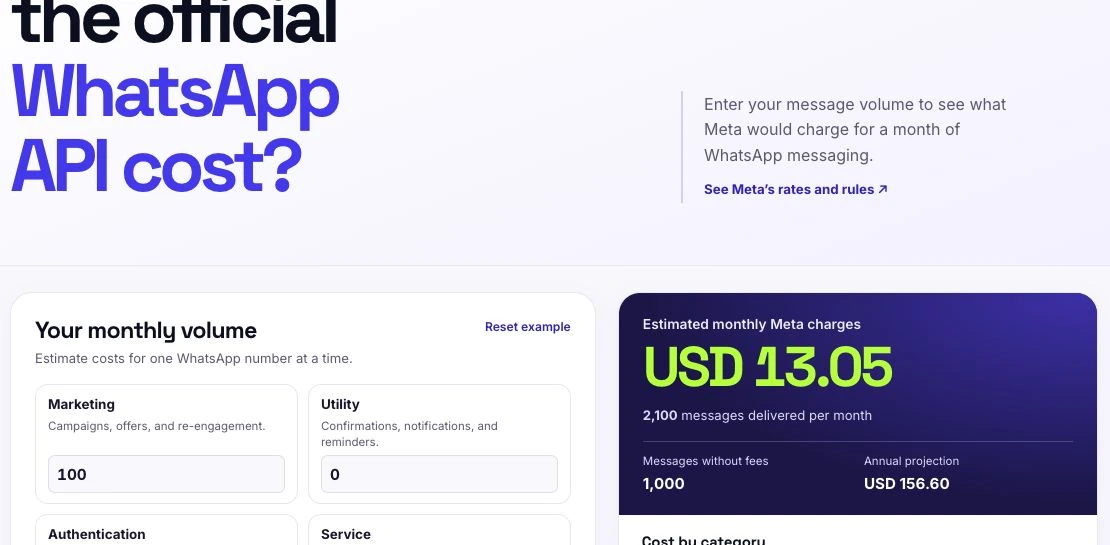
Open the Meta cost calculator on the FunnelOps website. Enter monthly marketing, utility, authentication and service volumes for one phone number. The result shows a monthly estimate, annual projection and category breakdown. Under Adjust rates and options, enter your account's rates and, optionally, the number of customers served. You can also enter an extra provider fee when your contract includes one. Copy the estimate to share the same assumptions with your sales or operations team.
Check the calculation with a simple example
Consider one number with 2,000 service messages and 100 marketing messages delivered outside free entry windows. Using the USD rate card for Brazilian recipients, the 1,000 service messages above the allowance cost USD 6.80, and the marketing messages cost USD 6.25. The estimate is USD 13.05. This example helps check the arithmetic. Use your own volumes and account conditions for planning, including the CRM and AI services you have contracted for the operation.
Reduce unnecessary messaging in the workflow
Review repeated questions, fragmented replies and transfers that lose the conversation history. In FunnelOps, maintain the AI agent's knowledge base and define human handoff clearly. Test a short customer journey and count the responses needed to resolve it. Evaluate spending alongside service quality. Compare equivalent periods, review template categories and update the estimate when message volume, channel mix or sales strategy changes. This gives the forecast a useful role in ongoing operational decisions.
Build the forecast by number, category, and delivered messages
Before using the calculator, prepare a worksheet with sender number, recipient country, billing currency, and expected volume by category. Use actually delivered messages as the basis for the billing described here. Failed attempts and saved contacts affect the calculation differently. If forecasting from service conversations, review a sample and count the business messages delivered in each, including AI replies and human follow-up.
Account for seasonality. Morning reminders and end-of-month campaigns can concentrate consumption. In FunnelOps, use available service and action records to estimate volume, separating categories under the applicable classification. Document assumptions where data is missing. Save the rate-check date and update the calculation before approving a budget. Platform, provider, and AI costs belong in their respective forecast lines.
Check the allowance without pooling balances across numbers
Apply the monthly service allowance described in this article separately to each business number. Imagine number A delivers eighteen hundred service messages and number B delivers two hundred. With one thousand included per number, A has eight hundred potentially billable messages and B has none. B's unused eight hundred cannot be transferred to A. Use Meta's current rule for the product and period under review.
For illustration, assume a billable service-message rate of three and a half Brazilian cents. Number A's eight hundred messages would cost twenty-eight reais. This is a calculation example subject to current country, currency, and terms. Keep marketing, utility, and authentication on separate lines, and record eligible free-entry deliveries separately. This prevents applying an exemption twice or using the allowance for another category.
Treat customer service and free entry as separate rules
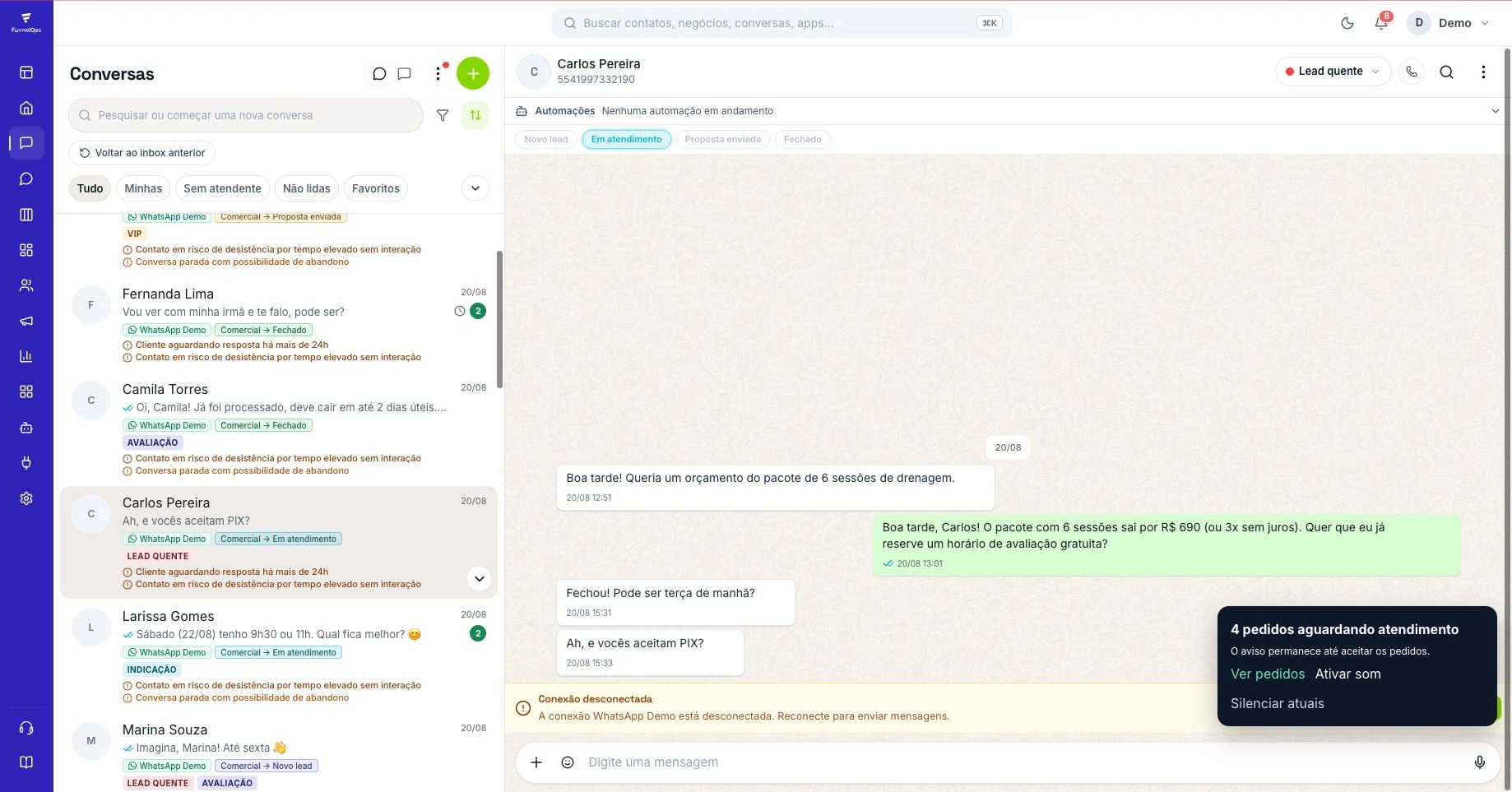
The window permitting customer-service replies and a promotional billing condition address different questions. Record when the customer wrote, the entry source, and when the business replied. For eligible click-to-WhatsApp ad entries, verify the source requirements and deadline for the first business response. Free treatment depends on actual eligibility. An ad appearing in commercial history alone does not prove that later messages are exempt.
Run a controlled journey from ad to customer message to business reply. Check available source information and timestamps before forecasting the benefit. Then test another entry route and follow-up outside the customer-service window. Official WhatsApp sends must follow applicable template and category requirements. In FunnelOps, validate the Inbox or workflow path and record assumptions. AI responses must also comply with the connected channel's rules.
Reconcile the forecast and reduce unhelpful messages
At period end, compare the forecast with Meta and provider billing using the same currency and dates. Separate differences in volume, category, country, rates, and applied benefits. If automation processed five hundred tasks, check how many messages were delivered before treating that total as billable volume. Review adjustments and provider-specific fees. Each discrepancy should lead to a testable explanation and a check of the relevant records.
Review high-message conversations. Fragmented replies, repeated questions, and follow-ups after a customer has answered can increase consumption without improving resolution. Adjust AI knowledge and workflow logic when these patterns appear. In FunnelOps, assess conversation history and service or commercial outcomes alongside cost. After changes, compare quality, delivered volume, and human intervention in an equivalent group while preserving clear communication.